Install the game, create a character, click a group of monsters. Fifteen minutes later you have seen the Sanctuary, won a fight and opened the door of a dungeon.
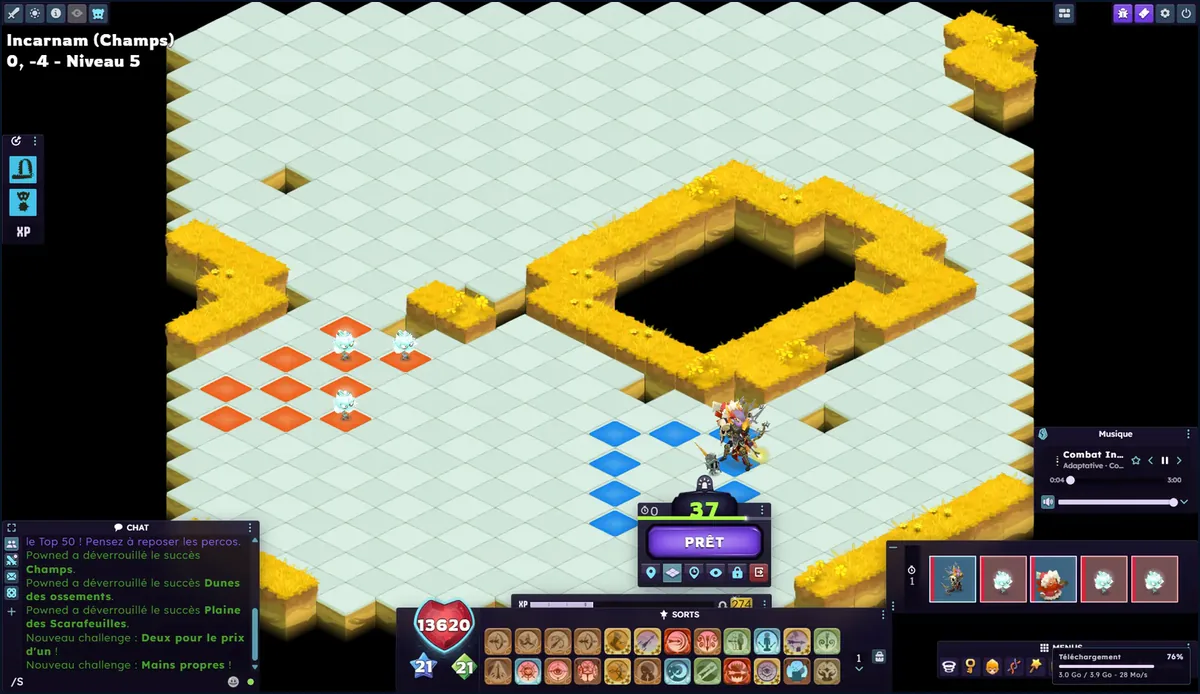
The placement phase: you stand on a blue cell, the monsters are on the orange cells, then you click Ready.
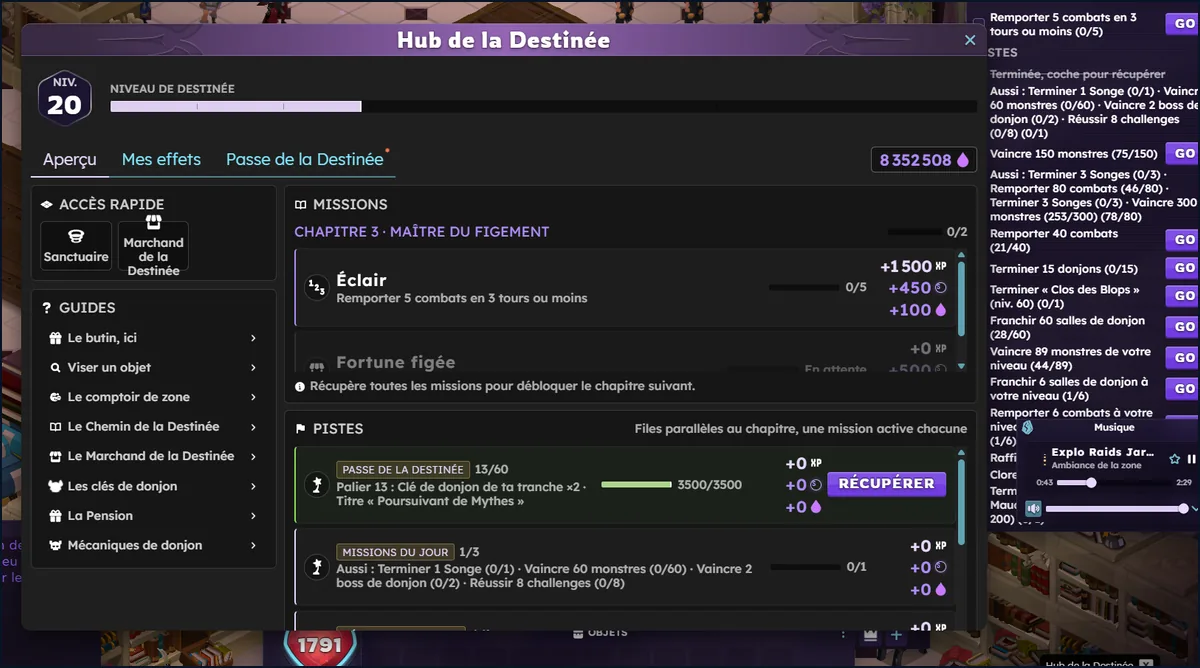
Click the Keeper of Destiny. He stands in the middle of the Sanctuary and opens the Destiny Hub: your Gifts, your missions and, if you want to read them again, the game's short guides. No tutorial starts by itself.
The Destiny Hub opens when you click the Keeper of Destiny: your Destiny level, your missions and the list of guides, to read again whenever you like.The Sanctuary
Win a fight. Take a zaap, pick a group of monsters at your level, take your place, click Ready.
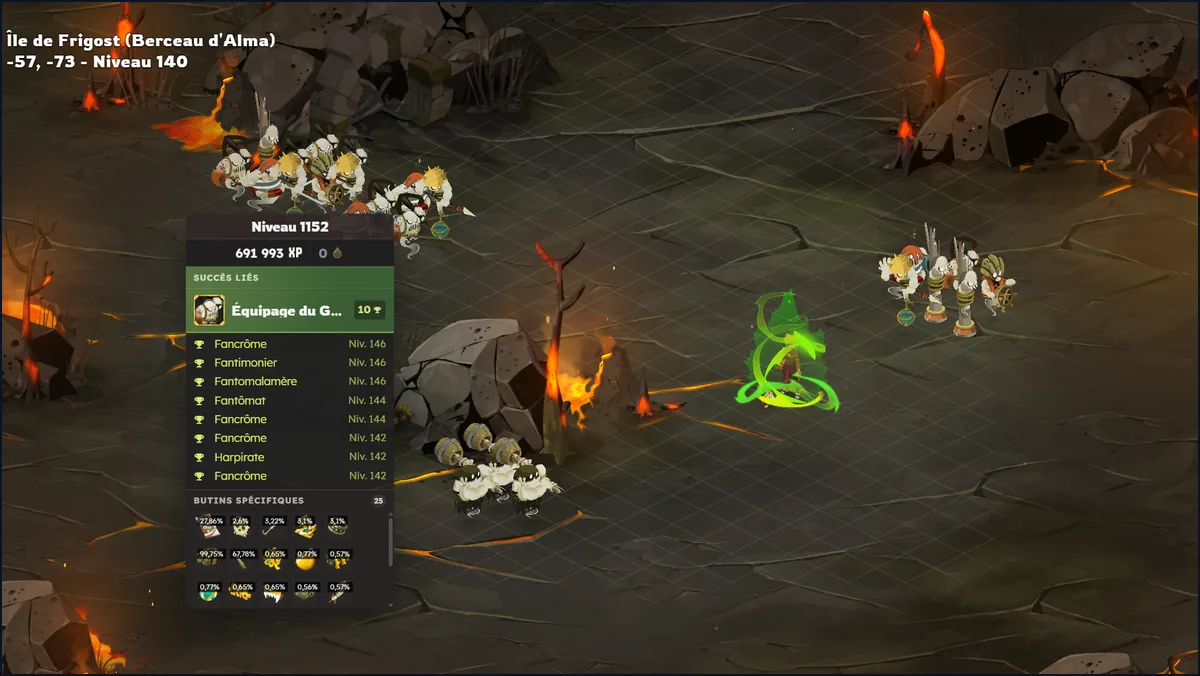
Hover over a group of monsters: the tooltip shows the fight's XP, the related achievements and the possible loot.Your first fight
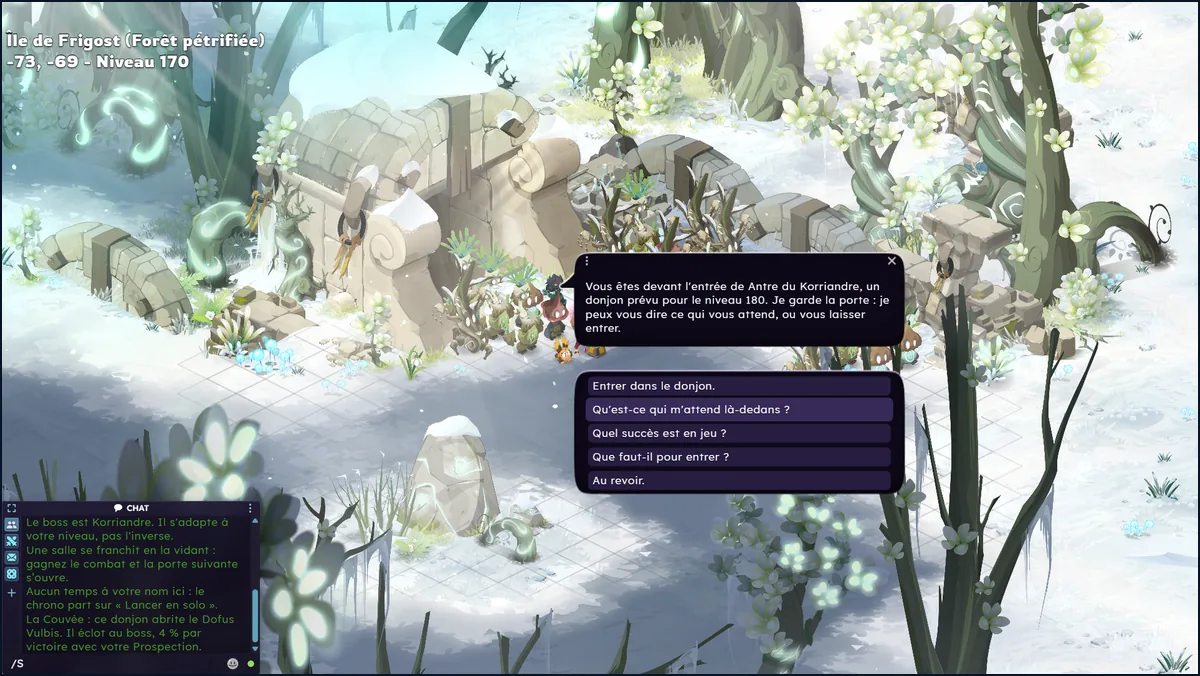
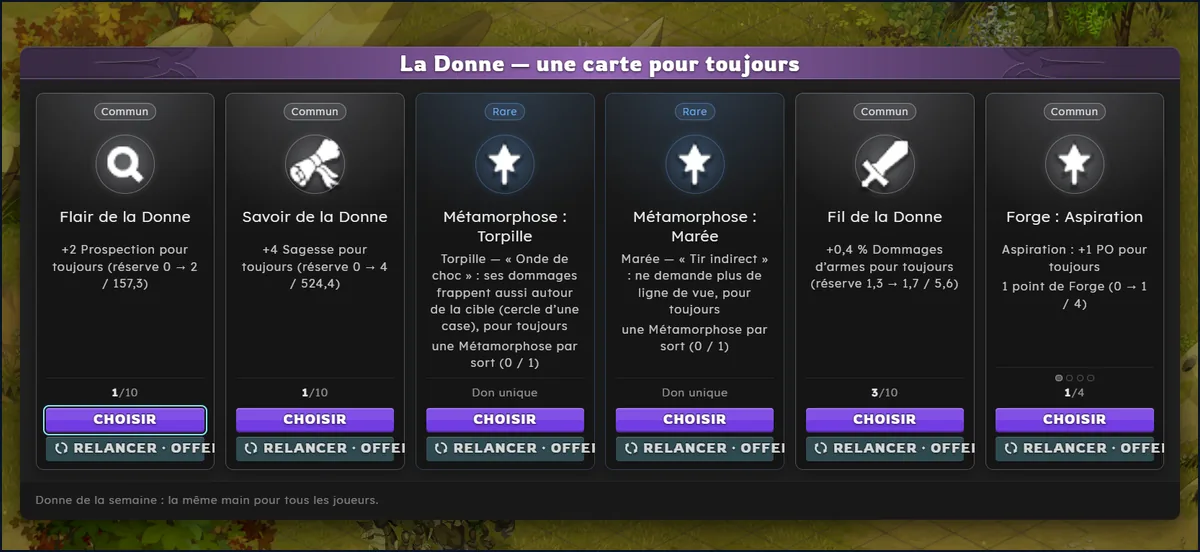
Enter a dungeon and take your card. Talk to the guardian in front of the door. After each room you win, you pick a card and your character keeps it forever.
In front of every dungeon, a guardian tells you the level, what awaits you and what you need to get in.After each room you win, you pick a card from the hand of La Donne: its bonus stays with your character.
One account serves both the site and the game: e-mail and password, then the link in the verification e-mail. Download PegasusSetup (the installer, about 168 MB) from the Download page, and nowhere else. Run it, log in, click Install, then Play. Plan for 3 GB free to start, and keep the launcher open while you play.
If Windows says "Windows protected your PC", click "More info" and then "Run anyway".
System requirements and sizesTable
What
Minimum
Recommended
System
Windows 10 or 11, 64-bit
The same
Processor
64-bit dual core
Four cores
Memory
4 GB
8 GB
Graphics card
DirectX 11 and WebGL 2
2 GB of video memory, 4 GB with the 4K Pack
Disk
3 GB free to start, 8 GB for the whole game
An SSD
Internet
Broadband
The same
What gets downloaded
Size
When
The installer (launcher, engine and client)
168 MB to download, 376 MB on disk
Right away
First launch data
2.6 GB
The first time you click Play
The rest (characters, sounds, ambience)
4.7 GB
In the background, while you play
Music (optional)
543 MB
On top of the rest
4K Textures Pack (optional)
7.8 GB
If you turn it on
Nothing else to install: the launcher uses .NET Framework 4.8, which Windows 10 and 11 usually already have.
If the installation gets stuckWindows, antivirus, connection
Your antivirus or Chrome blocks the file. The launcher is a small, recent, unsigned program: some antivirus tools flag it as "to watch" without having found any specific virus. First check that you took it from the Download page. If you are unsure, write on the Discord: we will help you, or tell you to wait. You are never asked to turn off your antivirus or to exclude a folder.
The login fails. "Incorrect e-mail address or password": try the same ones on the site, otherwise "Forgot password?". "Too many attempts": wait a few minutes. "Unable to connect": the Internet is down, or a firewall blocks the launcher.
A new account is refused. The server accepts 3 new accounts per Internet connection and per computer over 30 days. If several of you share a home, go through the Discord. The details are in the rules.
The game says "Unable to reach the server". Open Settings, then Connection diagnostics in the launcher. It runs six tests (Internet, DNS, web server, game port, PC clock, launcher version) and tells you what to do. "Copy the report" puts the text in your clipboard, ready to paste into your Discord ticket: it contains neither your account nor your IP address.
Other messages. "Not enough disk space": the launcher wants 200 MB more free, change folder in Settings. "Local port 47321 is already in use": close the other program and click Play again. Still stuck: Settings, then "Verify and repair".
The server is full. You wait in a queue and you can see your place. VIP+ players go first.
The 4K Textures PackOptional, 7.8 GB
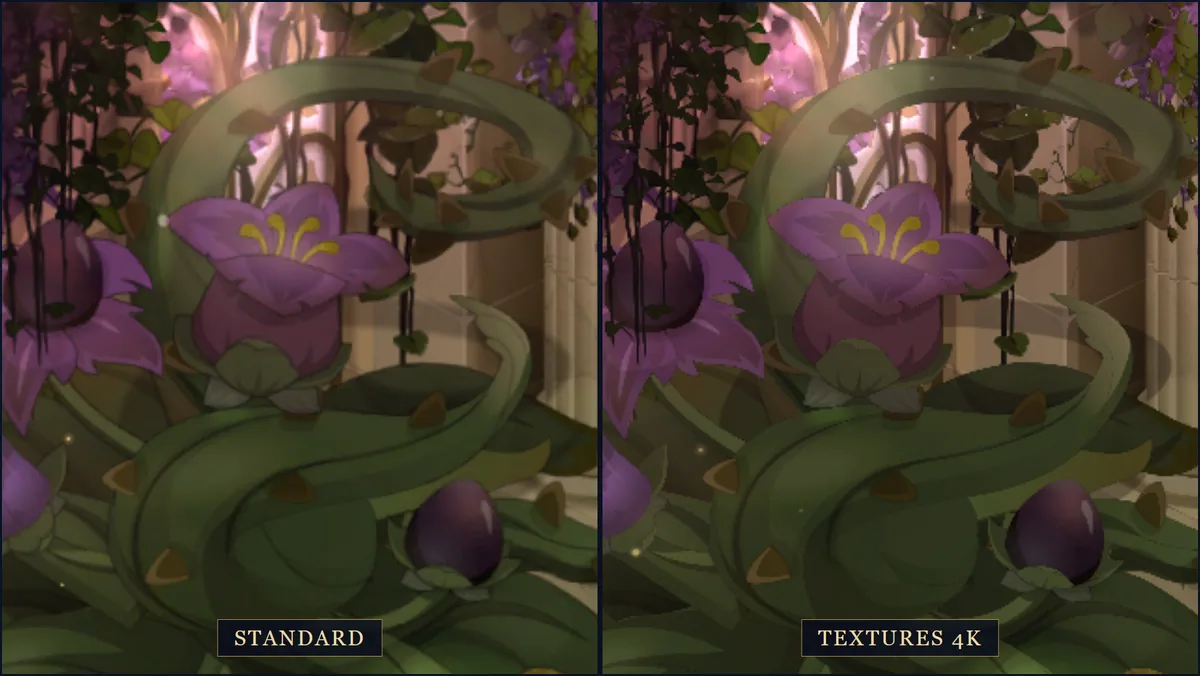
The 4K Textures Pack: standard rendering on the left, 4K rendering of the same scenery on the right.
The pack makes map scenery four times sharper in width and height. It does not touch characters. Turn on the switch of the Option card on the launcher Home: the pack downloads in the background and you can play meanwhile. When the card says "Installed · enabled in game", you are set.
Plan for 4 GB of video memory, and preferably an SSD. If the game stutters, turn the pack off.
To turn it off without deleting anything: switch it off, then click Play. The files stay, and you turn it back on whenever you want.
To free the 7.8 GB: click Uninstall on the card.
Leave the launcher open: it is what supplies the 4K images to the game.
You pick a name, a class, a head and colors. The classes are Dofus's, with an extra passive: the choice is on the Character page. At the start, your bag holds 200 Mana, a Hunting Knife in hand, a Twiggy Sword, 5 Carasau and the Keyring. At level 1 you have 55 HP, 6 AP and 3 MP. A purse of 530 Mana also comes to you, once per account and per season, without any message: it adds to your starting 200 Mana. There is no tutorial or intro cutscene any more.
Name rules and what you have at the start
The name starts with an uppercase letter and is 2 to 20 characters long.
No digits, no accents, one hyphen at most: Nawel and Jean-Marc pass, Élodie and Max2 are refused.
It must be free: two players never share a name. Offensive names, and names reserved for the team, are refused.
The Hunting Knife costs 3 AP and hits at one cell: with 6 AP, you hit twice in a turn.
At each level you gain 5 characteristic points to spend yourself, one point for one point.
There is no choice to make: all characters are in Mono, meaning a limited number of living characters per account, with no backup character. A lost fight does not cost you your character. The Heroic path, the one with permanent death, is closed for now. The Hardcore Master, in the Sanctuary, recalls the Mono rules.
On Tuesday, October 20, the server was reset and season 2 began: every character started again from level 1. Level, Omega, Prestige, equipment, bag, bank, Mana, tokens, relics and cards were erased. Each character kept its name, class, sex and colors. The account kept its Plumes, its VIP+, its titles and its ornaments.
What you had spent since October 14 was returned to you in Plumes, for votes as well as for purchases, and referral earnings from that period were removed. If your amount looks wrong, open a ticket on the Discord: there is no deadline. The double XP started at the reopening and lasts 48 hours.
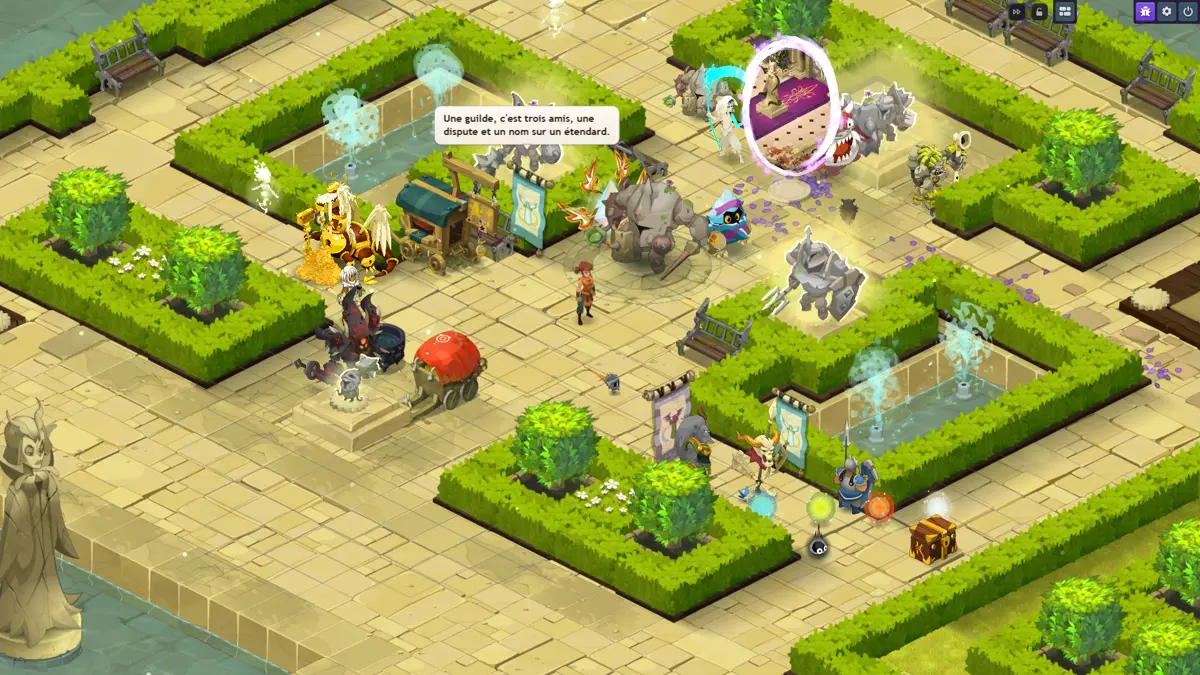
You arrive in the Sanctuary, the Ephedra Court: a monster-free square, with strollers and a day that gives way to night in 36 minutes. Each NPC opens a service: one click on it opens the real game window. Type .sanctuaire in the chat to come back from anywhere, and type it again to return to where you were (not possible in a fight). Start with the Keeper of Destiny, in the middle.
The Sanctuary, your base: a monster-free square where each non-player character opens a service, and where the strollers drop a line now and then.The ten NPCs and what each one opensTable
NPC
What it opens
Keeper of Destiny
The Destiny Hub: Gifts, missions, Pass, Prestige
Justiciar Clerk
Wanted notices, in the Justiciars' corner
Auction House
The market between players
Banker
Your bank, for items and Mana
Breaking / Smithmagic
The Crusher and the six forgemagic tables
Ferryman of Zaaps and Dreams
Zaaps, Dreams and your records
Guilda
Guild creation and purchases for the guild
Keeper of the Dopples
Today's Dopples, wanted notices, Doplons
Keeper of the Dofus
Everything you need to know about Dofus
Hardcore Master
The rules of Mono mode
The Refiner, which buys your old items for Mana, and the Roulettes open from the Quick Actions. To leave a dungeon, see Dungeons.
The fight is turn-based and monster groups do not move. Open the zaap list (click the Ferryman, or .zaap) and choose a zone at your level, for example the Soul Road: the trip is free. Click a group, pick your starting cell, then click Ready. On your turn, cast a spell or strike, move, then pass. A turn lasts 45 seconds against monsters. A monster at your level pays in full, a much weaker monster pays almost nothing: the tooltip tells you before the fight.
A dungeon is a series of rooms with a boss in the last one, and the first ones are level 10. A guardian stands in front of each door: he tells you the level, the boss, the key required and your record. Your Keyring gives 3 free entries per day, all dungeons combined, then each entry takes a key. After each room you win, you pick a La Donne card. The boss pays tokens.
Keyring and dungeon keysPrice table
Only entering the first room takes a free entry or a key. Resuming a dungeon in progress from room 2 costs nothing more.
There are ten keys, one per level bracket. A key opens every dungeon of its bracket. The guardian tells you which one you need.
They are bought with Mana at the dungeon door: when you enter without a key, the guardian opens the Shop window with the ten keys, and you can also open it ahead of time by asking him what is needed to get in. Keys cannot be sold at the Auction House and can only be used once.
Pegasus dungeons never need a key.
Key
Dungeons of level
Price in Mana
[1-40]
10 to 40
64
[41-80]
50 to 80
220
[81-120]
90 to 120
380
[121-160]
130 to 160
540
[161-190]
170 to 190
700
[191-200]
200
820
[201-225]
225
860
[226-250]
250
860
[251-275]
275
860
[276-300]
300
860
The price to read is the one in the door's Shop window.
The Quick Actions bar is a row of icons that opens almost every window of the server: bank, Auction House, forgemagic, Crusher, Refiner, Roulettes, dungeon search, achievements, missions. The button on the module bar shows or hides it. Three keys are useful right away: Ctrl + Alt + F for forgemagic, Shift + C for the wardrobe, Z held down for monster group tooltips.
In a fight, hover over a cell: you see the path, the MP cost and the cells where an enemy can lock you. A chat line that starts with a dot is a command, and only you read the answer: .aide gives the list.
Keys and starting settings
What
Effect
Ctrl + Alt + F
Opens the choice of the six forgemagic workshops, and closes it. Not possible in a fight.
Maj + C
Opens the Cosmetics window, where appearances are worn.
Z held down
Shows the tooltips of monster groups: level, expected XP.
/w Nom message
Writes privately to a player.
.noanim
Fast fight: animations run twice as fast.
.pass and .pret
Pass your turns automatically, be ready by default without choosing your cell. Set outside a fight.
A new profile starts with health bars always visible, the map grid shown and two screen layouts, Default and Combat: the game switches to Combat when a fight starts. Everything can be changed in Options. Window themes are in Options, then Themes. If the movement preview is missing, open Options, Game, Combat and tick the preview options.